How It Works
Enter any X username
Click the XTract icon and type a public handle
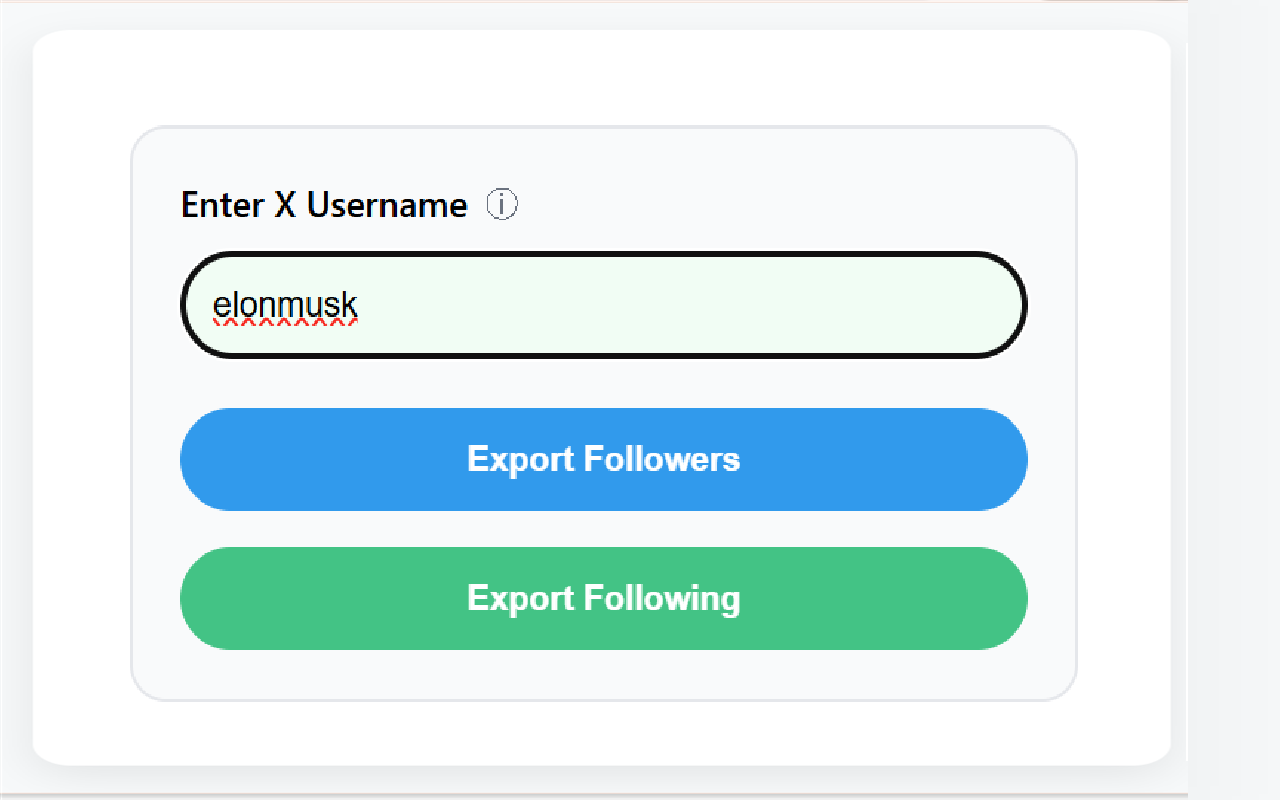
Choose what to export
Export Followers, Following, or both — set the count
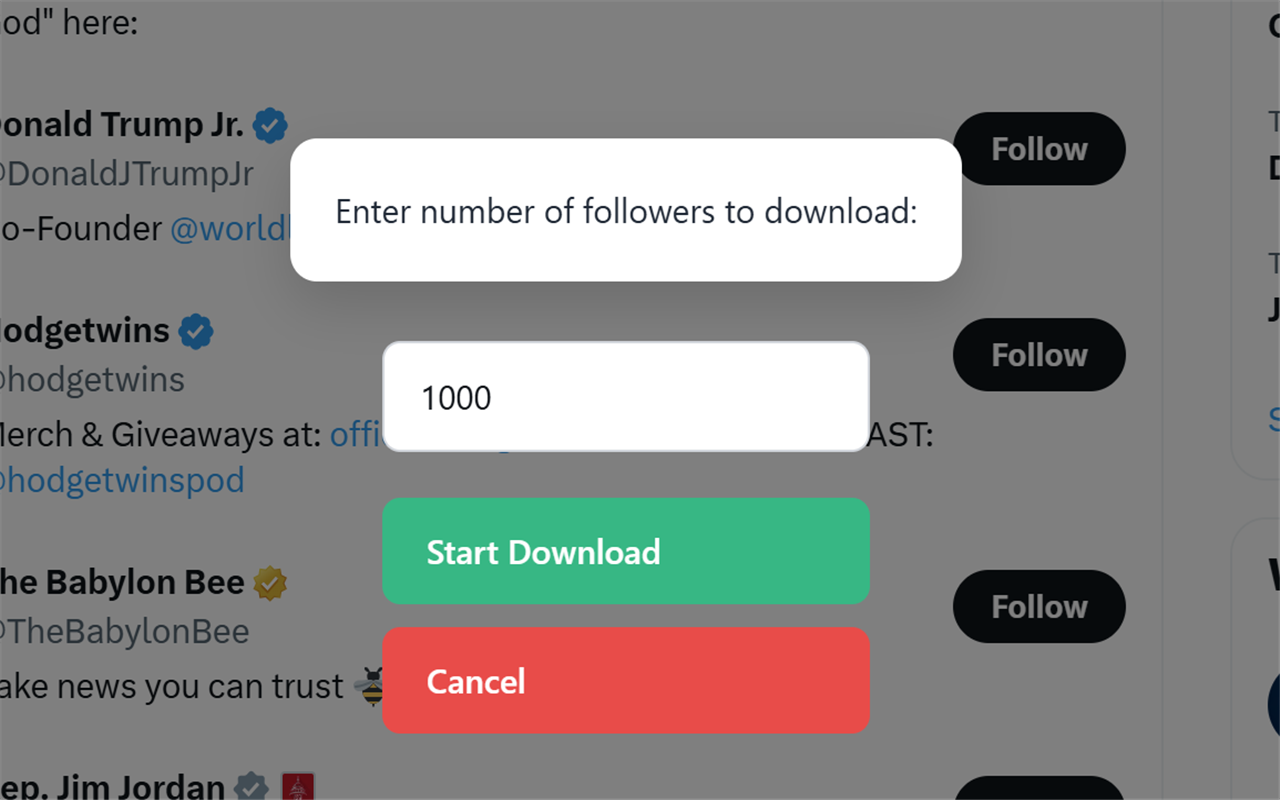
Get CSV & JSON instantly
Watch live progress, then download your files
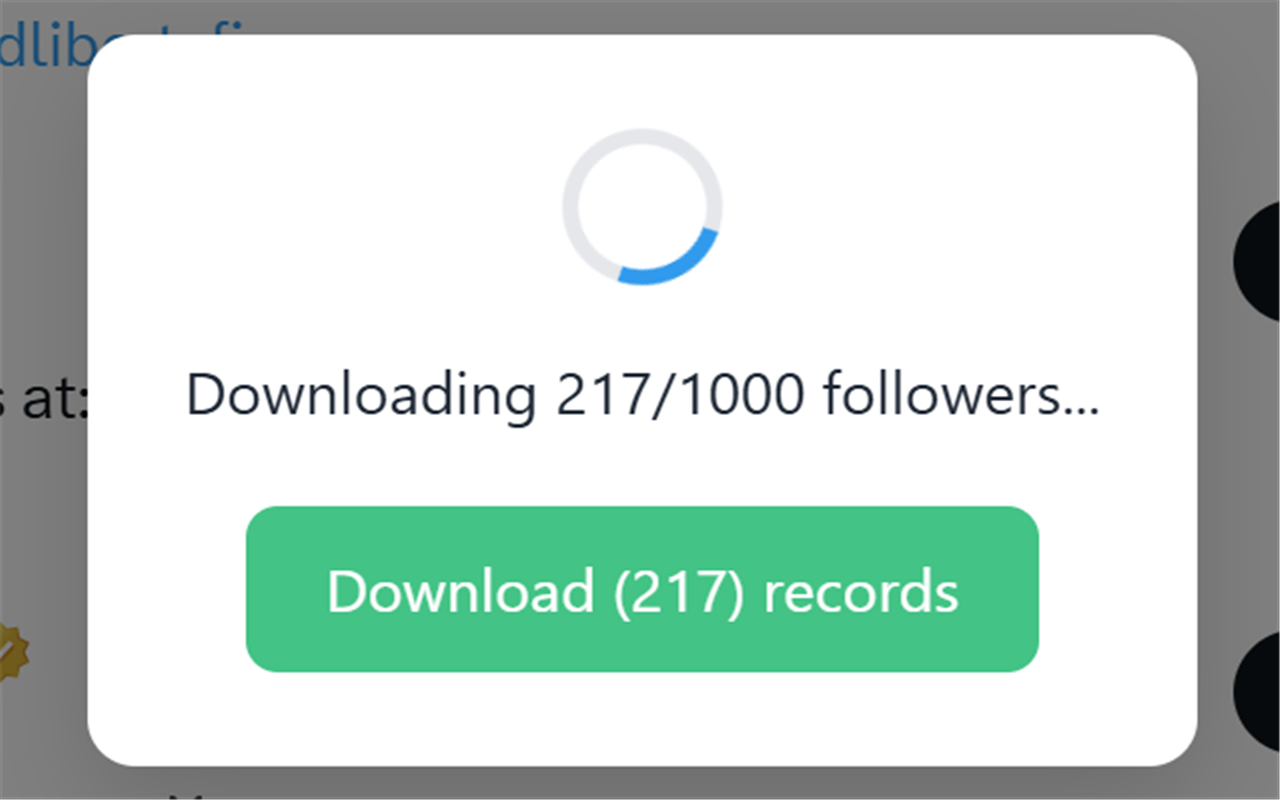
See It in Action
Export Elon Musk's 200M+ followers in under 60 seconds
Everything You Need
One-Click Export
Export any account's followers or following list with a single click
CSV & JSON
Choose your format. Open in Excel, Google Sheets, or any tool
Full Data — 14 Fields
Names, bios, follower counts, verified status, profile URLs, and more
No Signup or API Key
No XTract account, no API key, no password — it reuses the X session your Chrome already has
Unlimited & Free
No caps, no premium tier, no hidden fees. Free
Privacy-First
All processing happens in your browser. No data sent to any server
What an X Follower Export Actually Contains
An export is not a screenshot of a follower list. It is a structured table with one row per account and fourteen columns, and it is worth knowing what is in those columns before you run one. For every follower — or for every account someone follows, if you export the following list instead — XTract records the @username and the display name, the bio exactly as written, the follower count, the following count and the lifetime post count, verified status (both the legacy blue check and an X Premium subscription), the profile picture and banner image URLs, the free-text location field, the account creation date, the website link from the profile, and the numeric X user ID.
The last two are the ones people underestimate. The creation date is how you tell a real audience from a block of accounts registered last month, and the numeric user ID is the only stable key you get: handles change all the time, IDs never do, so two exports taken six months apart can still be joined on it. Everything else is there so you can narrow a crowd down to a list — the bio and location columns are what make a 40,000-row file usable.
Every export writes two files at once, a .csv and a .json, both named after the account and the list you pulled. The CSV has a header row and one line per account, so it opens straight into Excel, Numbers or Google Sheets and sorts and filters like any other spreadsheet: sort by follower count to surface the biggest accounts, filter the bio column for a keyword, filter the location column for a city. The JSON holds the same records as an array of objects, which is what you want when the next step is a pandas dataframe, an R script or a CRM import rather than a spreadsheet. Nothing is trimmed between the two formats — all fourteen fields appear in both.
How Long an Export Takes — and What It Cannot Do
XTract reads a follower list the same way your browser does when you scroll one: about twenty accounts per request, with a deliberate ten-second pause between requests. That pacing is the whole reason a 1,000-follower list takes roughly eight to ten minutes and a 10,000-follower list takes about an hour and a half to two hours. You can drop the interval to eight seconds in Settings, but faster requests are exactly what trips X's rate limiter. When that happens XTract waits sixty seconds and retries on its own rather than throwing away the run, and because the progress counter is live you can download whatever has been collected so far at any point. A long export is never all-or-nothing.
Three limits worth knowing before you install. First, you need to be signed in to X in the same Chrome profile — the extension reuses the session your browser already has, which is why there is no API key, no developer app and no XTract account to create, and why it never asks for your X password. Second, it reads public accounts only: a protected profile returns nothing at all, because X does not serve that list to anyone who is not an approved follower. Third, it exports follower and following lists and nothing else — not posts, not likes, not bookmarks.
Everything runs locally. The requests go from your browser to X and the files land in your downloads folder; the list is never uploaded to us, and there is no server in the middle that could keep a copy. That is also why the extension is free and unlimited rather than metered — there is no infrastructure cost on our side to meter.
Who Uses a Follower Export, and For What
Competitive research. Export a competitor's followers, export your own, and compare the two files in a spreadsheet. The interesting number is not the overlap but the gap: the accounts following them and not you, sorted by follower count, is a short and very concrete list of people to reach.
Lead and candidate sourcing. Export the followers of a well-known account in your niche, then filter the bio column for a job title and the location column for a market. A raw crowd of 30,000 becomes a shortlist of a few hundred people who have already self-identified as interested in the subject, with their websites and audience sizes attached.
Influencer and partner discovery. Export the following list of a large account rather than its followers. What a major account chooses to follow is a curated set, and sorting it by follower count is a fast way to find the mid-sized accounts in a niche without trawling a hashtag.
Audience backup. Plenty of people simply export their own followers every few months and keep the files. Platforms change their rules, accounts get locked, and an audience you cannot take with you is not really yours. A CSV in a folder costs nothing and is the only version of that list you control.
For a longer walkthrough with screenshots of each step, read how to export X/Twitter followers to CSV. If you work on Threads as well as X, the same idea is covered by our Threads follower export extension.
Frequently Asked Questions
Is XTract free?
Yes, XTract is 100% free with unlimited exports. There is no premium tier, no credit card, and no signup required.
Do I need to log in to use XTract?
There is no XTract account, no API key and no developer app to register for — but you do need to be signed in to X in the same Chrome profile, because the extension reuses the session your browser already has. It never asks for your X password.
What data does XTract export?
Fourteen fields per account: username, display name, bio, follower count, following count, post count, verified status, profile image URL, banner image URL, location, account creation date, website link, and the numeric X user ID. Every export writes both a CSV file for Excel or Google Sheets and a JSON file for scripts and CRM imports.
How long does an XTract export take?
XTract collects about 20 accounts per request with a 10-second pause between requests, so roughly 8 to 10 minutes for a 1,000-follower list and about 1.5 to 2 hours for 10,000. The progress counter is live and you can download whatever has been collected so far at any point.
Can XTract export followers of a private account?
No. XTract only reads public accounts. A protected profile returns nothing, because X does not serve that follower list to anyone who is not an approved follower.
Can XTract export posts, likes or bookmarks?
Not currently. XTract exports follower and following lists only.
Is my data private with XTract?
Yes. All processing happens locally in your browser and the exported list is never uploaded to any server.
Why Pay for Something That's Free?
| Feature | XTract | Phantombuster | Tweet Hunter | Twexportly |
|---|---|---|---|---|
| Price | $0/forever | $69/mo | $49/mo | $29/mo |
| Follower Export | ✓ | ✓ | ✓ | ✓ |
| Following Export | ✓ | ✓ | ✓ | ✓ |
| CSV Export | ✓ | ✓ | ✓ | ✓ |
| No Account to Create | ✓ | ✗ | ✗ | ✗ |
| No API Key | ✓ | ✗ | ✗ | ✗ |
| Privacy-First | ✓ | ✗ | ✗ | ✗ |
Ready to Export?
Free Chrome extension. Install in 10 seconds. No signup.
Install XTract FreeJoin thousands already exporting X data the easy way